Introduction to Computer Networking
Internet, IP, Topologies and much more!

Passionate Learner!
Hello Everyone! I promise, this blog isn’t as scary as it might look. Think of it as your guide to understanding how all those devices around you talk to each other. Yes, even your phone and your WiFi router are besties! Let’s get started!
So, what is a Computer Network?
In simple terms, A computer network refers to a group of computers and other devices connected to share data and resources.
Just like people use networks to communicate and collaborate, computer networks enable devices to communicate and share data.

How it all started?
Initially, computers operated independently. As collaboration and data sharing became necessary, researchers began exploring ways to connect them.
A major breakthrough came in 1969 with the creation of ARPANET (Advanced Research Projects Agency Network), funded by ARPA. ARPANET connected research institutions and universities, enabling them to share resources and collaborate more effectively.

Using packet-switching technology, ARPANET allowed data to be sent and received efficiently. This led to the development of critical networking protocols like TCP/IP, which are still in use today.
As this was a research project, numerous individuals wished to share research documents, papers, and more. However, the issue arose with the lack of automated sharing. For instance, if we wanted to share a document from MIT to Stanford, and that document contained hyperlinks (which, when clicked, would open another document), it didn't work as expected.
The emergence of the World Wide Web (WWW) provided a transformative solution to address these challenges. Created by Sir Tim Berners-Lee in the late 1980s, the WWW served as a platform for storing and accessing these documents.
You can explore the world's first website, showcasing the early implementation of interconnected hyperlinks to multiple documents.
However, a new challenge arose with the need to search and find specific documents within this vast web of interconnected information. This led to the development of search engines like Google, Yahoo, and others.
Now that we have explored the origins of computer networks and their evolution, let's delve into some important terms and concepts in the world of networking.
Protocols
The Need:
Suppose we are developing an application with a specific set of communication rules, while another individual is creating a separate application with a different set of rules. Now, if we want to communicate with each other's applications, we encounter a problem.
The reason is that each application follows its own unique set of communication rules. Consequently, seamless communication between the two applications is not possible.
To overcome this hurdle, we require protocols.
Protocols are nothing but rules and guidelines defined by the Internet Society that serve as a common language that applications and devices can stick to when communicating over a network.
Client and Server
When we type "google.com" into our web browser, our computer acts as a client and sends a request to the Google server.
The Google server receives and processes the request, identifying the specific content or service we are seeking.
Once the server has processed the request, it sends a response back to the client (our computer), providing the requested information or performing the requested action.

Everything in the computers is represented as 0 and 1. So it doesn't make sense to send such type of data at once.
Whenever we send data on the Internet, it is not sent at once. It is sent in chunks. These chunks of data are known as packets which we will cover later in detail.
IP Address
When we enter "google.com" in a web browser, how does it find the correct server to connect with? Well, these computers and servers are identified using something called an IP address.
We can think of an IP address as a phone number in our phonebook. Just like phone numbers are associated with names, IP addresses are associated with devices on the internet. This way, we don't have to remember the numbers for everyone.
Every device connected to the internet has its own unique IP address. In the figure below, you can see the format of an IP address. Each "X" can have a number ranging from 0 to 255. We will explore the different classes of IP addresses in more detail in future blog posts.

- To check the IP address of our own device, we can use the following curl command:
curl ifconfig.me -s
A common question that arises is how this IP addressing works? Do all devices have the same IP address? If I'm connected to a router at home with four devices, will they all have the same IP address or different ones?
Here's how it works:

We have an Internet Service Provider (ISP) that provides us with a modem/router.
This modem/router has a global IP address, which is the address recognized by everyone around the world.
All the devices connected to this modem/router will have the same global IP address. However, within the modem/router, multiple devices can be connected, and each of these devices will have its own unique local IP address.
The modem/router assigns these local IP addresses using the Dynamic Host Configuration Protocol (DHCP), which we'll discuss in detail later.
So, when we make a request to "google.com," the request will be seen with the global IP address. Whether it's device 1 or device 2 making the request, to Google, it will appear as if a single device is making the request.
We send the request to Google, our ISP relays the request to Google, and Google responds to the request. Now, the modem/router needs to determine which device made the request: device 1 or device 2. It does this using Network Address Translation (NAT). The modem/router knows which device made the request, but it also needs to figure out which application within that device made the request.
Let's say you're gaming or chatting with someone in an online game installed on your computer. You send a request to the internet, and the internet sends back a message from your friend.
Now, your router needs to determine where to send this message whether it's to the game or the browser within your computer.
This decision is made based on the IP address, which determines the location of your computer/device. But how does it know which specific application to send the data to within that device? That's where ports come in.
Since a single computer can run multiple internet applications simultaneously, we differentiate between them using port numbers. Thus, the IP address determines the location of your computer/device, while the port number determines which application should receive the data, ensuring that the correct application gets the data.
Ports
Ports are essentially 16-bit numbers, providing a wide range of possible port numbers. There are approximately 65,000 port numbers available for use. Let's explore some of them.
For example, all the HTTP-related activities we perform are defined on port 80. It is a well-known port that is standardized for HTTP communication.
These well-known ports are reserved for specific purposes. If we are running MongoDB, the port used for it is 27017. Ports ranging from 0 to 1023 are reserved ports, meaning they are dedicated to specific services.
If we have our own application and wish to host it on port 80, we cannot do so because it is already reserved for HTTP-related operations. Ports from 1024 to 49152 are typically reserved for applications like MongoDB, MySQL, and others. For instance, SQL commonly uses port 1433. The remaining port numbers beyond 49152 are available for general use.
Now that we understand ports, let's shift our focus to internet speed and how it is measured.
When we talk about the speed of our internet connection, we often mention figures like 350 Mbps or any other value. But what does this actually mean? Let's explore this further.
What does Internet speed refer to?
Internet speed is commonly measured to determine the speed at which information travels between your device and the Internet.
It is usually expressed in units of bits per second (bps), kilobits per second (Kbps), megabits per second (Mbps), or gigabits per second (Gbps).
Download speed and upload speed are the two primary metrics used to measure internet speed.
Download speed refers to the rate at which data is received from the Internet to your device, while upload speed measures the rate at which data is sent from your device to the Internet.
So,
1 mbps = 1000000 bits/sec
1 gbps = 109 bits/sec
1 kbps = 1000 bits/sec
Now let's discuss how communication between two computers occurs.
There are two methods through which it happens:
guided communication
unguided communication.
Guided communication refers to communication that takes place along a defined path. For example, when two computers are connected with a wire, it is considered guided communication.
On the other hand, unguided communication occurs without a specific path. For instance, WiFi and Bluetooth are examples of unguided communication.
How are we connected to the Internet? How are countries connected?
Let's zoom out for a moment and examine the broader perspective before diving into the finer details.
Many of us, often imagine that internet connections exist above the clouds through satellites. However, this is not entirely accurate. In reality, internet connections are established through undersea cables 🌊 🤯. These cables run beneath the ocean and interconnect people all around the world.
Take a look at the image below, illustrating how undersea cables form the backbone of global connectivity.
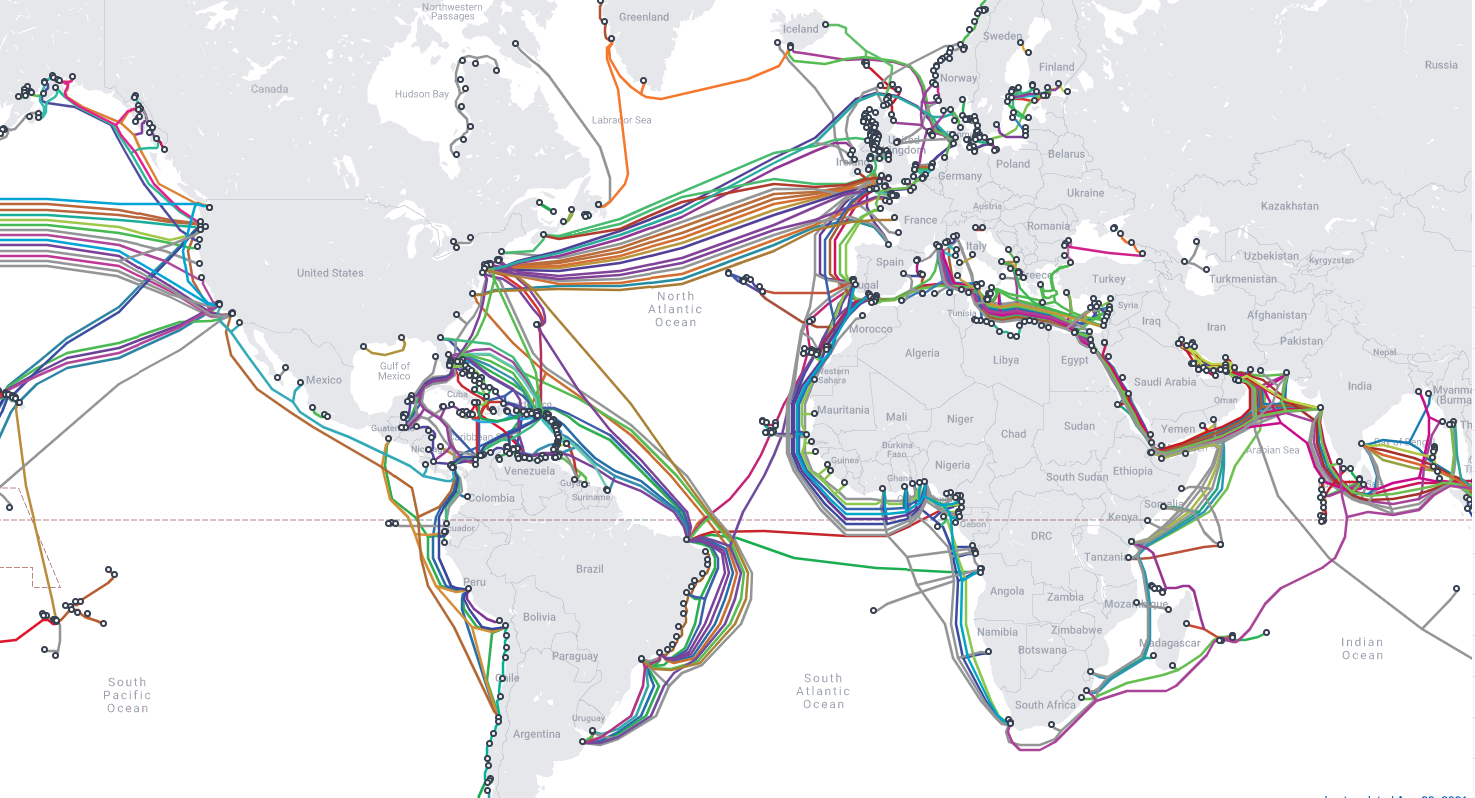
So, essentially, physical wires are running beneath the ocean, connecting one country to another. Check out the website: Submarine Cable Map
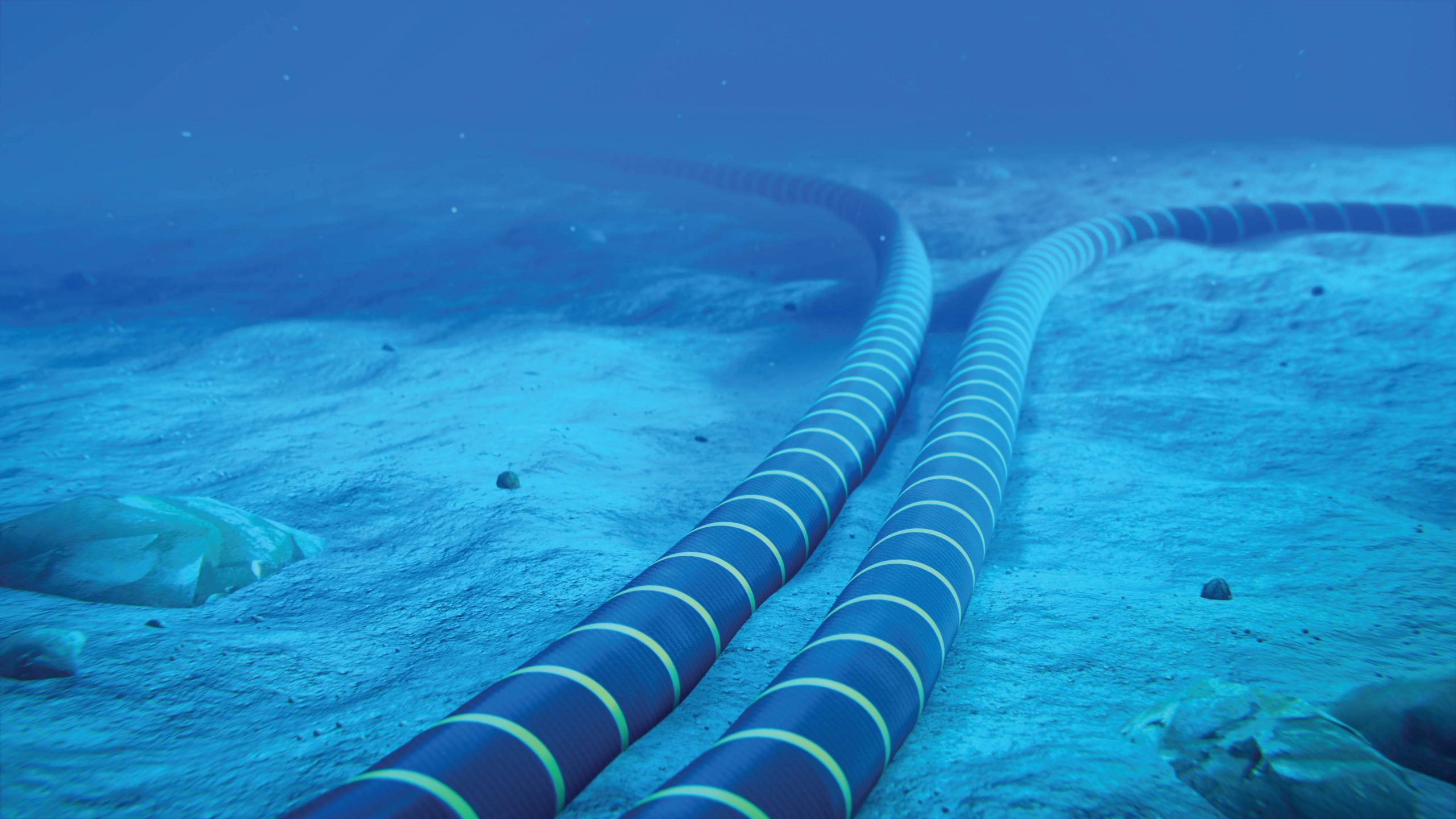
Now, some of you might wonder, "Don't these cables get damaged by sharks or underwater animals?" Well, the answer is that these cables are heavily protected and guarded against any potential threats.
Now let's recap some of the fundamental concepts.
LAN, MAN & WAN
LAN (Local Area Network): A LAN is typically used in small house or office setups. It utilizes Ethernet and Wifi technologies to connect devices within a limited area.
MAN (Metropolitan Area Network): A MAN allows for network connectivity across a city or a metropolitan area.
WAN (Wide Area Network): A WAN spans across countries or large geographical areas. It relies on optical fiber cables for long-distance data transmission, and it can utilize various protocols like SONET (Synchronous Optical Networking) and Frame Relay, which is a means to connect LANs to a WAN, such as the Internet.
Modem:
- A modem is a device used to convert digital signals into analog signals for transmission over communication channels.
Router:
- A router is responsible for directing data packets based on their IP addresses, determining the most efficient path for the packets to reach their destination.
Topologies
Bus Topology
Bus topology is a network setup where all devices are connected to a single cable known as a bus.
Only one person can send data at a time in this configuration. Data transmission occurs in both directions along the bus. However, if the bus cable fails, the entire network may be disrupted.

Ring Topology
In a ring topology, devices are connected in a circular loop, where each device is connected to its neighboring devices.
Data travels in one direction around the ring. However, if a device fails or a cable is damaged, the entire network can be affected. Additionally, in a ring topology, unnecessary calls can occur when a device sends data to all other devices, even if it's intended for a specific device.

Star Topology
In a star topology, all devices in a network are connected to a central device, such as a hub or a switch.
Each device has its own dedicated connection to the central device.
This arrangement allows for easy management, as adding or removing devices does not disrupt the entire network.
However, the main limitation of a star topology is that if the central device fails, the entire network can be affected. Additionally, it requires more cabling compared to other topologies.

Tree (Bus - Star) Topology
Tree topology is a network arrangement where devices are connected in a hierarchical structure, resembling a tree.
It combines the features of bus and star topologies.
Each branch in the tree connects multiple devices using bus topology, while the main trunk uses a star topology.
However, tree topology has limitations in terms of fault tolerance, as the entire network can be affected if the main trunk fails or experiences issues.

Mesh Topology
In mesh topology, each device is connected to every other device in the network, creating multiple paths for data transmission.
This provides redundancy and ensures reliable communication. However, it can be expensive to implement due to the large number of required connections and can face scalability issues as the network grows, making it more suitable for smaller networks.

That's it. You have reached the end of the blog. Congratulations!!

Thank you so much for reading! I hope this article was helpful. Please check out the complete computer networking series for additional topics.
Let's get connected:


